How Scores are Calculated
General Notes and Terms
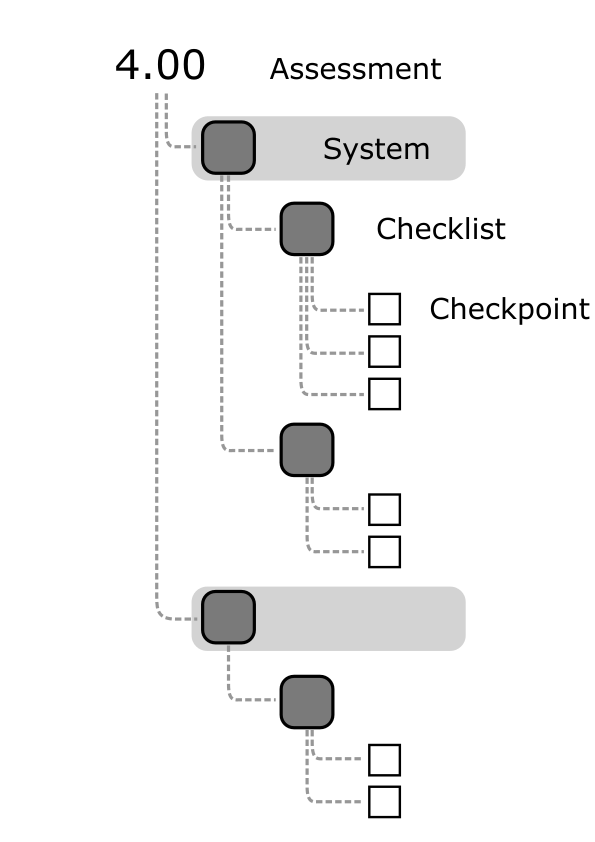
The Overall score is overall the score given to the entire Assessment (also sometimes called an audit) or Inspection.
The System is the top level organization to break the scorecard into chunks by stage of construction.
The Checklist is the part of the scorecard which holds the individual Checkpoints, which usually relates to a particular construction assembly.
The Checkpoints are the scorable items in the Checklist.
Scores of N/A (not applicable) or N/O (not observed) are not included in calculations. That means if a section has only one scored item, and the rest are N/O, that whole section will be scored based on the one checkpoint. When reference is made to a score in the rest of this document, this refers to checkpoints that aren't scored N/A or N/O.
The Aggregated Method
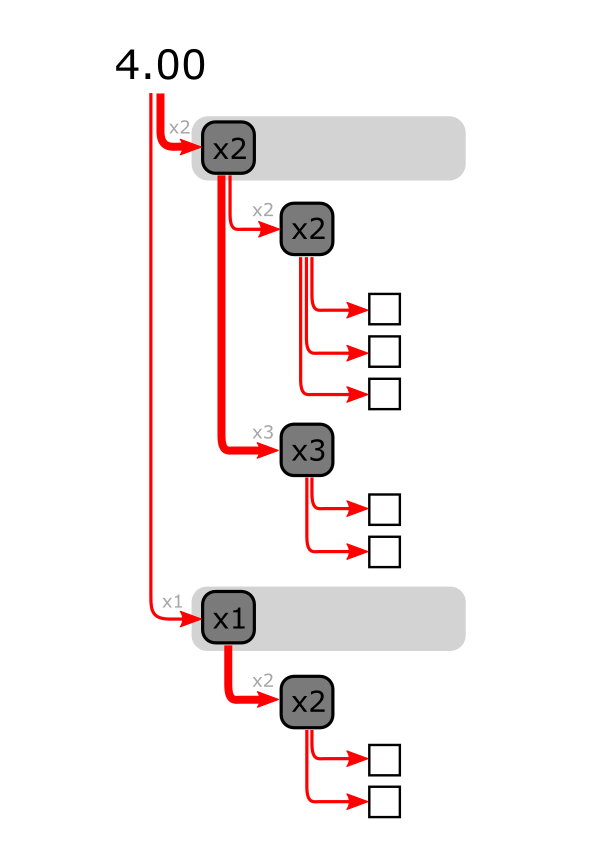
There are several possible methods for calculating scores in PERFORM, but this method is currently the default.
IBACOS uses this method because each part is weighted to correct for risk which means each category's score is valued rather than the amount of checkpoints contained within them.
Each checkpoint score is averaged with those in its Checklist to give the Checklist score.
The System score is a weighted average of the System's Checklists.
The Overall score is a weighted average of all the System scores.
The Simple Method
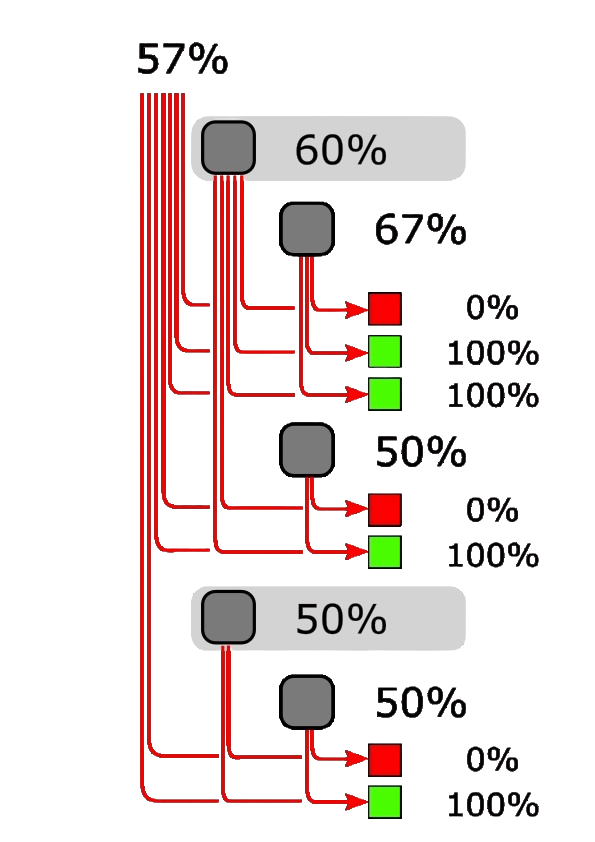
This method takes all the scores in a particular section (regardless of whether it's an Overall, System or Checklist score) and averages their values. Each checkpoint carries the exact same weight towards the calculated scores as all the others.
This method works well for compliance-based standards, where each score has the same value.
Weights may still be added at either System or Checklist level, but if both are added, the weights compound. For instance, a checklist with a weight of 2 in a system with a weight of 4 will be weighted as an 8 in the calculation (2 x 4).
Count Up Method
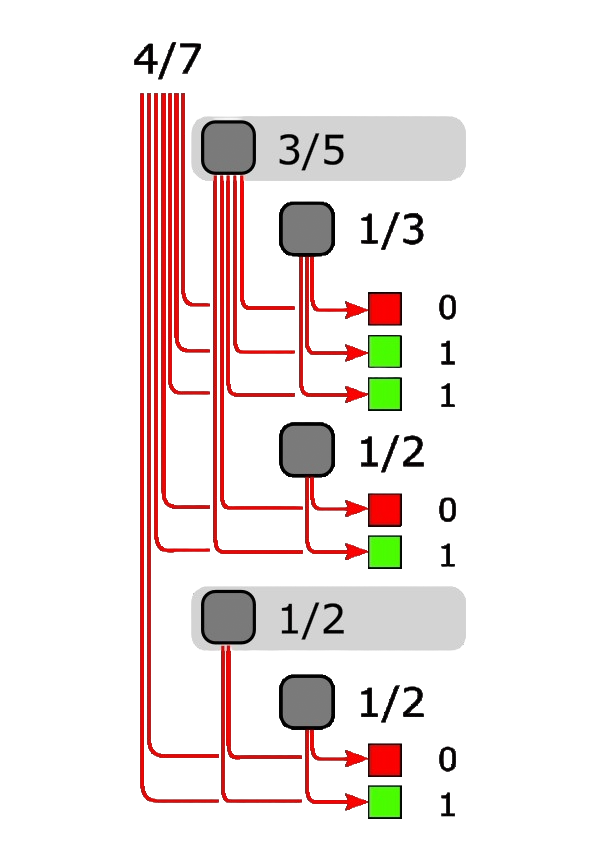
This method doesn't rely on averaging at all, but rather shows scores as a ratio of the total scored. So, a scorecard of this type might have 7 checkpoints each worth 1 pt for each passed values. As the assessor scores, the number increases from 0, adding 1 pt for each passed item.
By default, each checkpoint is worth 1 pt, but Systems and Checklists can be given weights to increase or decrease these values across broad sections. For finer-grained controls, partial credit can be programmed into the options for any given score, so that each item can have a variable impact. For instance, a checklist may be set-up so that each checkpoint would normally add 5 pts to the overall score, but each item has options of 0%, 20%, 40%, 60%, 80% and 100% compliance, which would be 0, 1, 2, 3, 4, and 5 pts respectively. One of those checkpoints could be set to be worth a maximum of 3 pts by just setting the option values to a max of 80%.
Count Down Method
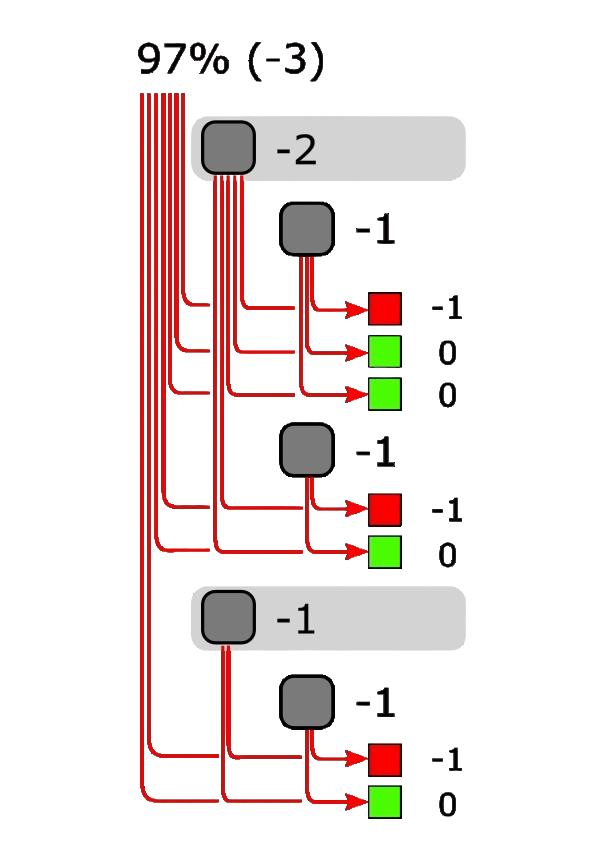
This method shows the scores as an accumulation of negative points for failed items, where each item is worth -1 point when failed (or more if weighted). The overall score is 100% minus the accumulation of negative points.
This method uses the same weighting structure as mentioned above.